




Step 1
Check-in
“First, how does your voice feel today?”
A tired voice gets a lighter session. A sore voice gets the day off.
Your personal singing guide
Ten minutes a day with Lyra, your guide. Croonia finds the notes that feel easy for your voice, moves every song to fit them, and shows each note you sing as you sing it.
No account needed. Your voice is analysed on your iPhone, never on a server.
Good news
If you were ever told you can't sing, these three facts about voices are for you.
1.5 in 100
If someone once told you that you can't sing, the odds say you are one of the other 98.5.
Peretz and Vuvan, 2017, European Journal of Human Genetics
2 skills
Most people who sing off-pitch hear pitch normally. The hard part is moving your voice to the note you hear, and Croonia's matching exercises practise exactly that.
Pfordresher and Brown, 2007, Music Perception
2 or 3
Every recording is in the key that suits the person who recorded it. Croonia moves each song up or down until it sits where your voice is comfortable.
Your guide
Lyra takes you through every session, one short line at a time: what to sing, what went well, and what to try next. On days your voice is sore, she tells you to rest.
Lyra is an illustrated character with a written script. She is not a chatbot.
 Lyra
Lyra Breath
 Ah
Ah Song
Song Hum
Hum Welcome
 Rest
RestTry it now
Each bar is one note of the melody. Keep your voice inside the bar and the note is in tune. This is Twinkle, Twinkle, Little Star exactly as the app shows it. Press Sing along to try it with your own voice.
Sing along uses your microphone. Your voice is analysed in this browser tab, and nothing is recorded or sent.
Today · 10 min
Every day, Croonia builds a new session from how your voice feels and how you sang last time. You don't need any equipment. Headphones give the most accurate results.
Step 1
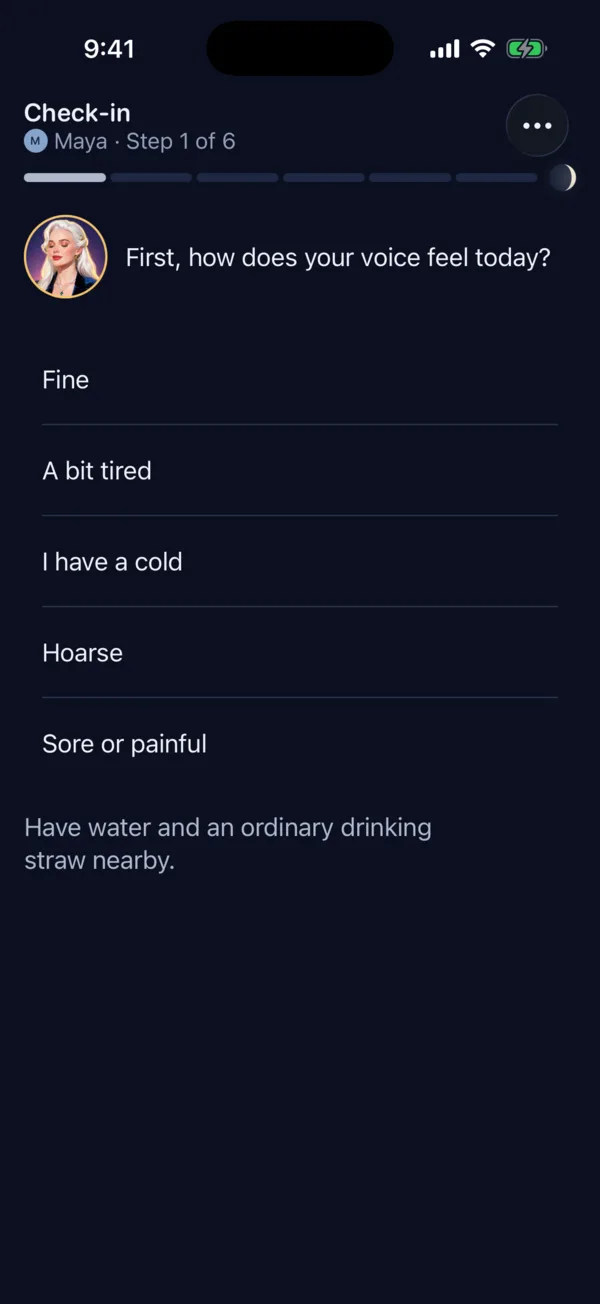
“First, how does your voice feel today?”
A tired voice gets a lighter session. A sore voice gets the day off.

Step 2
“Let's start gently: a breath, then some easy hum slides.”
Slow breaths, then easy hum slides from low to high. Got a drinking straw? Slide through it instead.

Step 3
“Now let's see where your voice is comfortable today.”
Find your lowest and highest comfortable notes. Croonia checks them again every two weeks, so you can see how your range changes.

Step 4
“Two short exercises for pitch matching.”
Short drills for the skill that needs the most work, chosen from your recent sessions.

Step 5
“Now Twinkle, in D major to fit your voice.”
A song moved into your key. Loop a tricky phrase or slow it down whenever you like.

Step 6
“One minute of gentle humming to finish.”
A minute of gentle humming, and you're done for the day.
Your progress
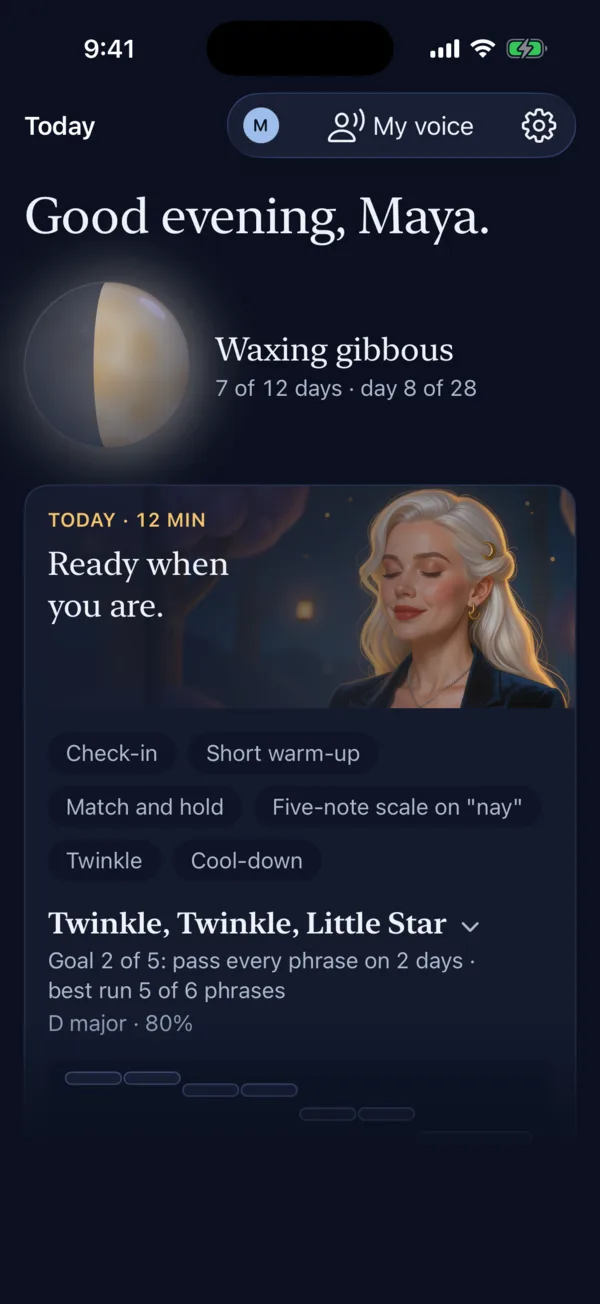
Every day you practise lights up part of the moon on your Home screen. Twelve days make a full moon.
Resting a sore voice counts as practice too, so you never have to sing through pain to keep going. There are no streaks to lose: the moon only grows.
Waxing gibbous · 8 of 12 days
Inside the app
01
Home greets you by name, shows your moon, and has today's session ready. Each plan follows your recent results and how your voice feels.
02
Every session starts with a check-in. Croonia also counts the minutes you sing each day, and once you reach the daily limit, it switches you to listening.
03
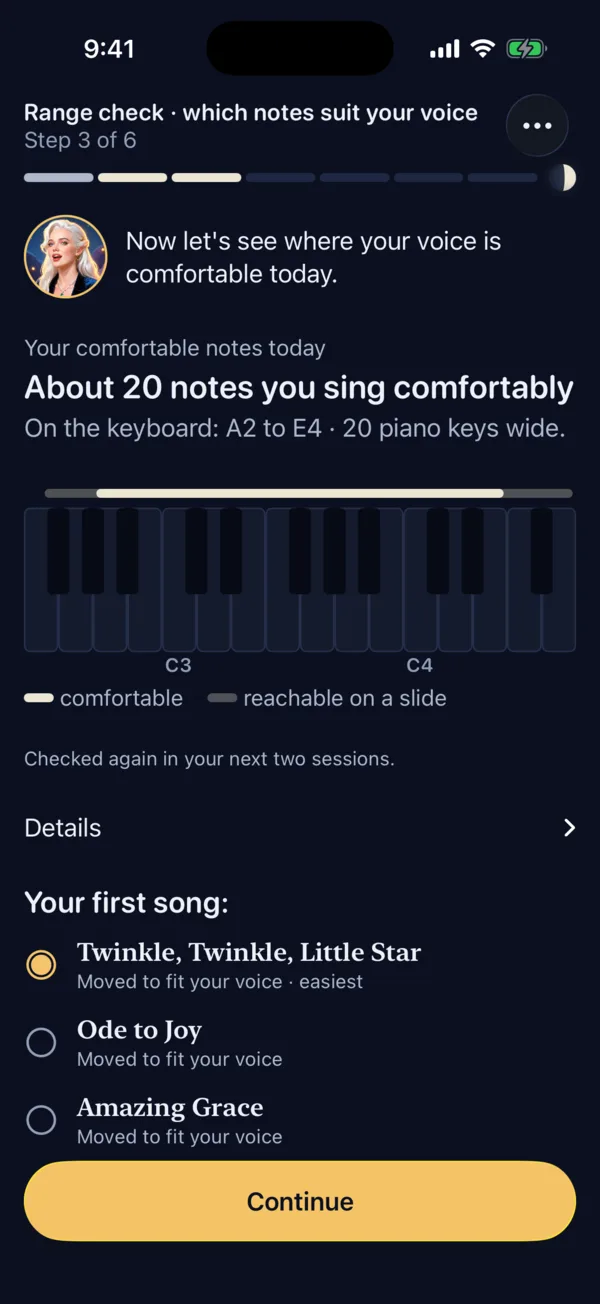
The range check finds the notes you sing comfortably, and every song moves up or down to fit them. You get your own notes, not a voice-type label.
04
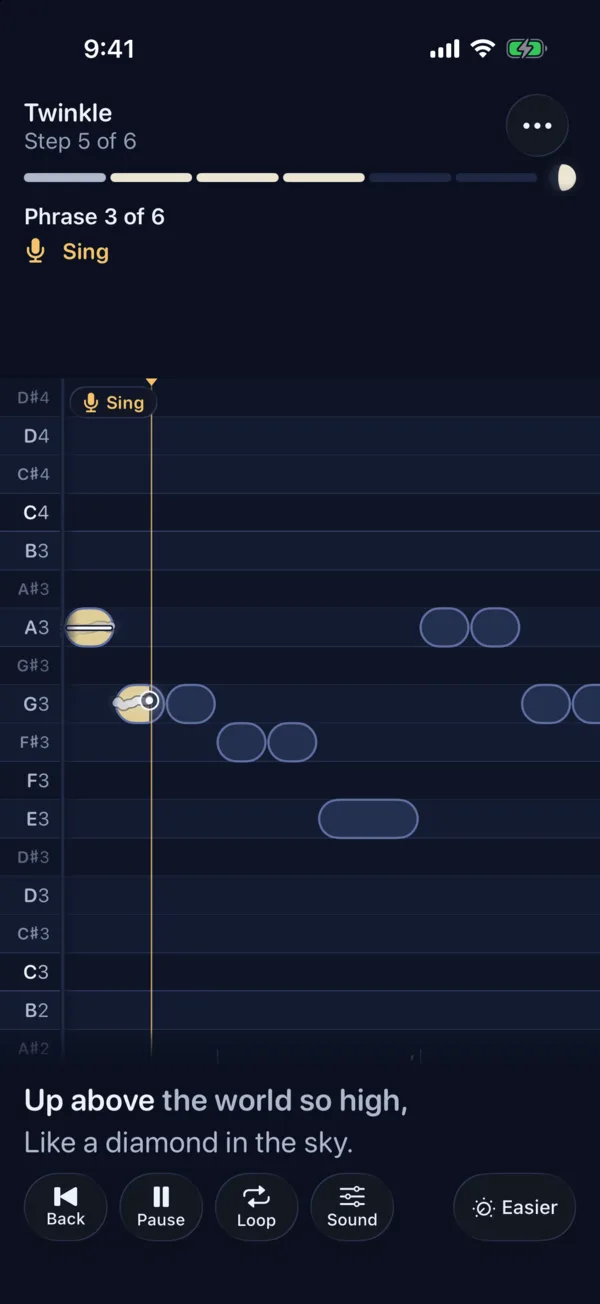
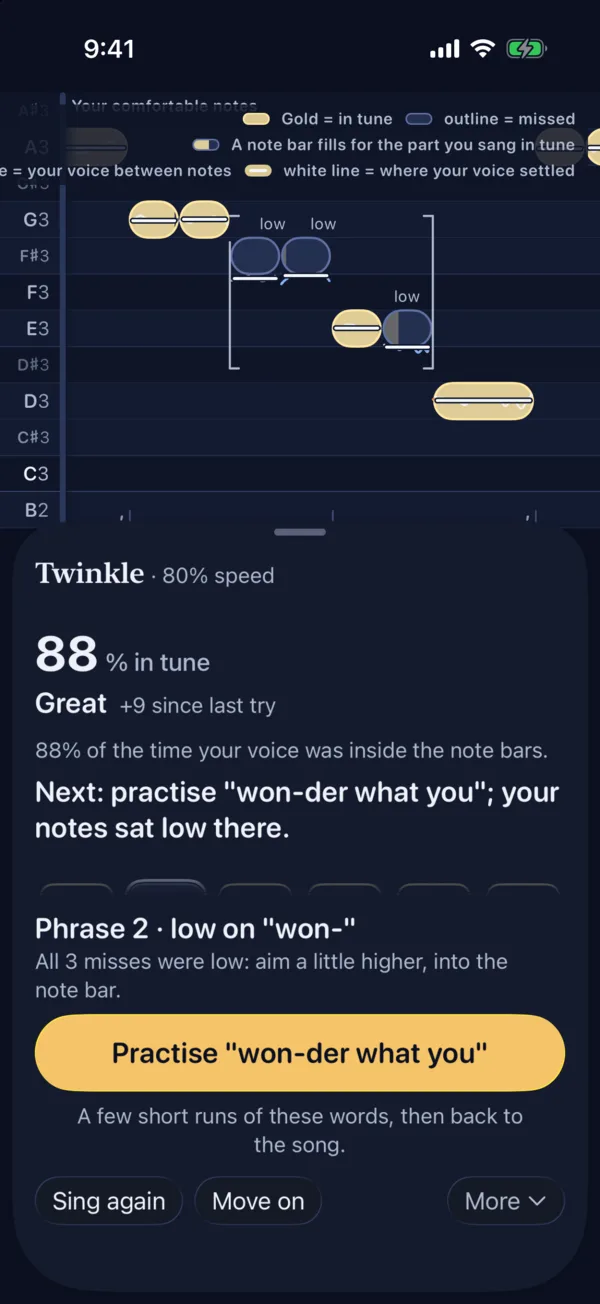
The notes scroll toward a gold line. Each note fills with gold for the part you sang in tune, and a bright line traces your voice.
05
Every result tells you what to practise next, down to the syllable: “Phrase 2 · low on won-”. One tap turns those notes into a short drill, then you go back to the song.
Sing the songs you love. Import a song you own, and your iPhone separates the voice from the music and turns the melody into notes you can follow. The song never leaves your phone.
Croonia is a practice app, not medical advice, and it cannot hear strain. If singing hurts, stop and see a doctor or a voice professional.
Privacy
The beta is free. Install Apple's TestFlight app, then open this link on your iPhone.
Try the beta on TestFlight